
How to disable automatic renewals for Managed Cloud Servers as a Reseller

20i Resellers can switch Managed Cloud Servers from automatic renewal to manual renewal.
When manual renewal is enabled, your Cloud Server will not renew automatically. You must renew it manually to prevent it from being deleted. By default, all Cloud Servers are set to automatically renew.
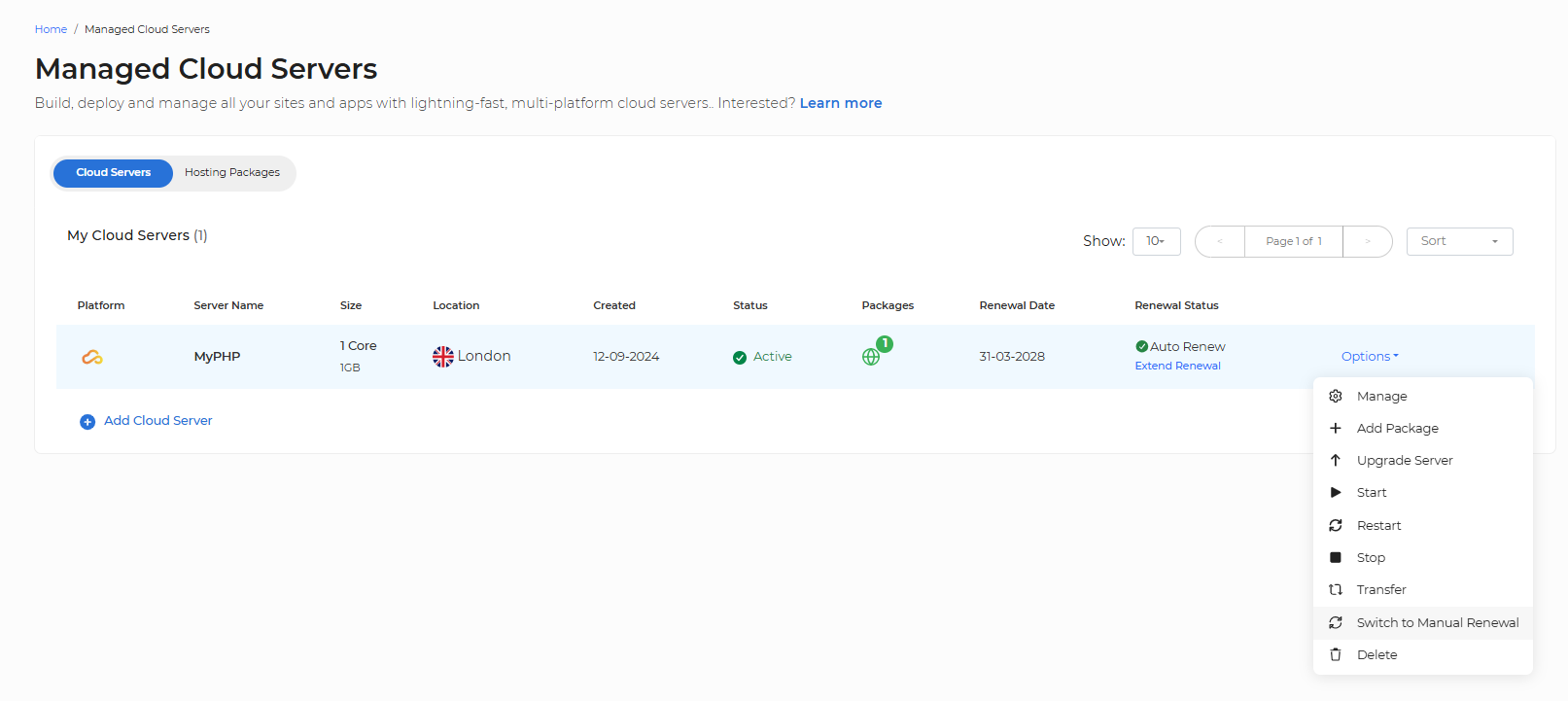
To enable manual renewal:
- Head to the Managed Cloud Servers section in the control panel.
- Locate the Cloud Server you want to switch to manual renewal.
- Select Options > Switch to Manual Renewal.
What happens if the renewal is not paid?
On the renewal date, the Cloud Server will remain active.
After 24 hours, the server will be powered down but will still be accessible via the control panel.
If the renewal remains unpaid for a further 6 days, the Cloud Server will be permanently deleted.
This provides a total 7-day grace period from the renewal date.
Note: It is only possible to disable the auto-renewal of a Managed Cloud Server if you are a Reseller.