
What are the WooCommerce Tools with WooCommerce Hosting

We provide a suite of WooCommerce Quick Tools, in conjunction with our WordPress tools, for all hosting packages hosted on our WooCommerce-optimised Cloud Server. These useful tools provide quick access to important management features for your WooCommerce website. The toolset is only available for all sites hosted on our optimised WooCommerce platform. This guide covers each tool and how it can help you.
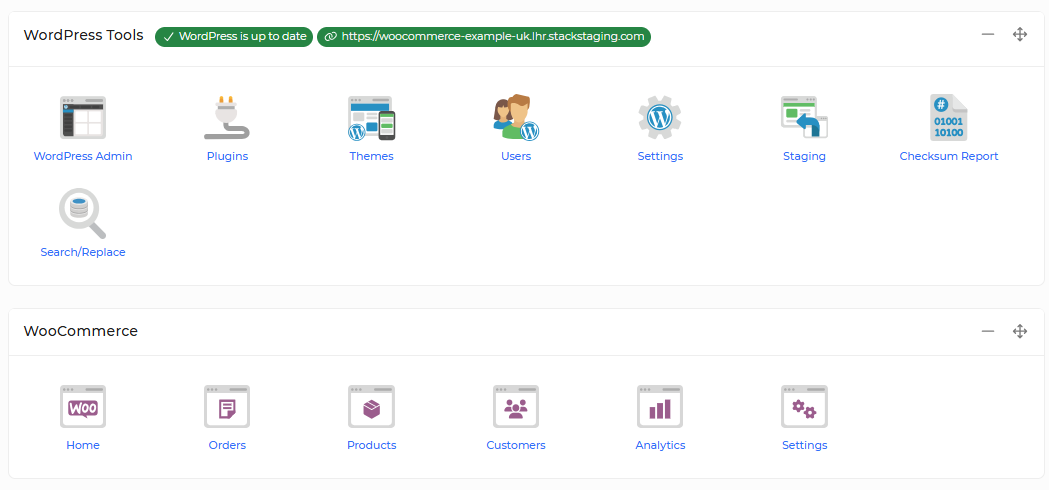
- Home: Takes you to the main WooCommerce Home page, where you can view an overview of your store and access commonly used WooCommerce features.
- Orders: Takes you to the Orders page, where you can view and manage orders placed through your store. From here, you can review order details, update order statuses and process orders as required.
- Products: Takes you to the Products page. From here, you can create new products, edit existing products, and import or export your product catalogue.
- Customers: Takes you to the Customers page, where you can view customer details and browse your customer list. You can also use filters to find specific customers or groups of customers.
- Analytics: Takes you to the Analytics section, where you can review your store's performance using reports, statistics and visualised data, such as sales and order information.
- Settings: Takes you to the Settings page, where you can configure and manage your WooCommerce store settings, including options relating to products, shipping, payments and customer accounts.
If you would like to find out more information regarding our WordPress Tools, please click here.