
How do I enable ionCube Loader

ionCube Loader is a PHP extension used to run PHP scripts that have been encoded using the ionCube PHP Encoder. It is commonly required by applications such as WHMCS and other software that uses encoded PHP files.
If you need to enable or disable ionCube Loader manually, you can do so through the PHP Configuration tool
How to enable or disable ionCube Loader
1. Navigate to Manage Hosting and select Options > Manage on the hosting package you wish to configure.
2. Under the Web Tools section, select PHP Configuration.
5. Toggle ionCube Loader to enable or disable.
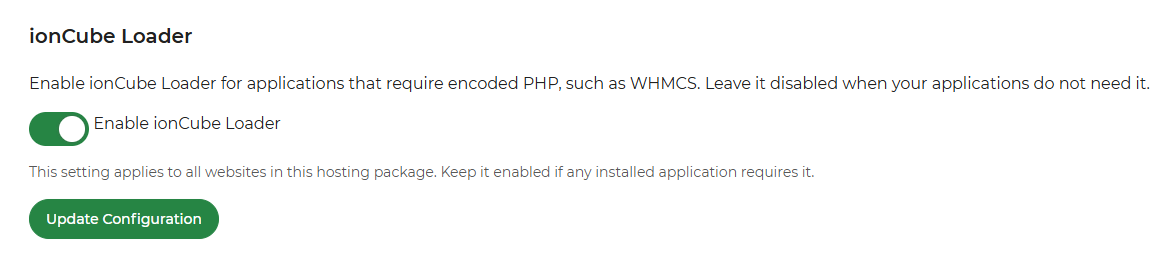
6. Save your changes by clicking the Update Configuration button.
The change should take effect almost immediately, allowing your website to run PHP scripts that require ionCube Loader.
Note: If your website uses encoded PHP scripts that depend on ionCube Loader, disabling the extension may cause those scripts to stop working. We recommend leaving it enabled if your website requires it.