
How to provide your customers access to different levels of Timeline Backups

As a 20i Reseller, with the Timeline Backups Pro addon purchased, you can choose the level of backups your customers have access to. There are three levels of backups you can provide access to. These include:
- No access to Timeline Backups
- Standard access to Timeline Backups (includes web files & database snapshots)
- Full access to Timeline Backups Pro (includes web files, database and mailbox snapshots)
To configure this:
- Head to the Hosting Package Types section in the control panel.
- Locate the hosting package type you would like to configure Timeline Backups for.
- Select Options >> Edit.
- Locate the Web Files section, and then select from the Timeline Backups and/or Timeline Backups Pro checkbox to enable this.
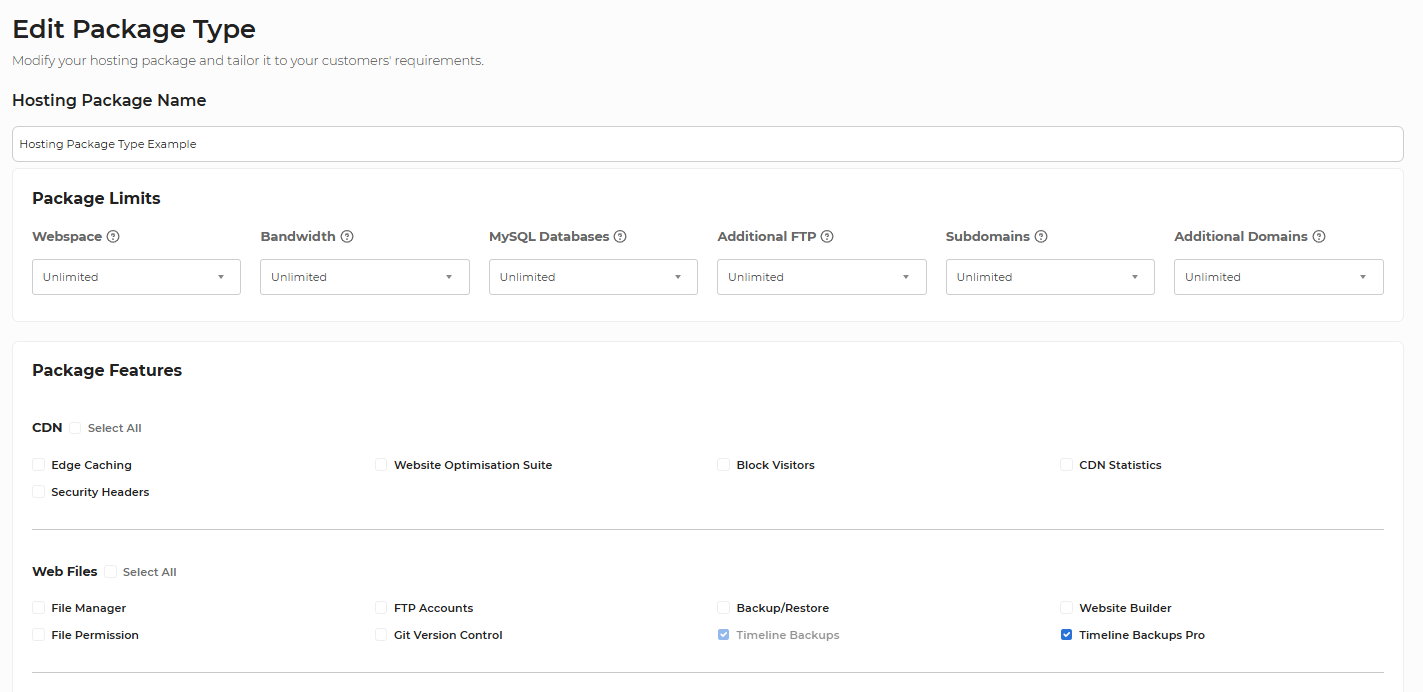
Note: You cannot unselect Timeline Backups if Timeline Backups Pro is selected.