
Selling Domain Names Through WHMCS

We've developed a bespoke provisioning and addon module for WHMCS that allows 20i Resellers to sell domain names directly through WHMCS. This includes support for all the different TLDs 20i offers.
Pre-Requisites
- You must have a 20i Reseller account
- You need a WHMCS installation (either existing or new)
- If selling in multiple currencies, ensure each currency is enabled in WHMCS
Setting up 20i as the Domain Registrar
To get started, log in to your WHMCS admin panel and navigate to System Settings > Domain Registrars. You should then be presented with a list of available modules to activate from a variety of domain registrars/web hosts. You should see the 20i module towards the top of the list. Select the green Activate button for the 20i module and then click the Configure button.
From here, you will need to enter your combined API key into the Password field. You can leave the WHMCS Admin User blank, which will default to the Primary User and ensure that the StackCP User Custom Field is set to StackCP.
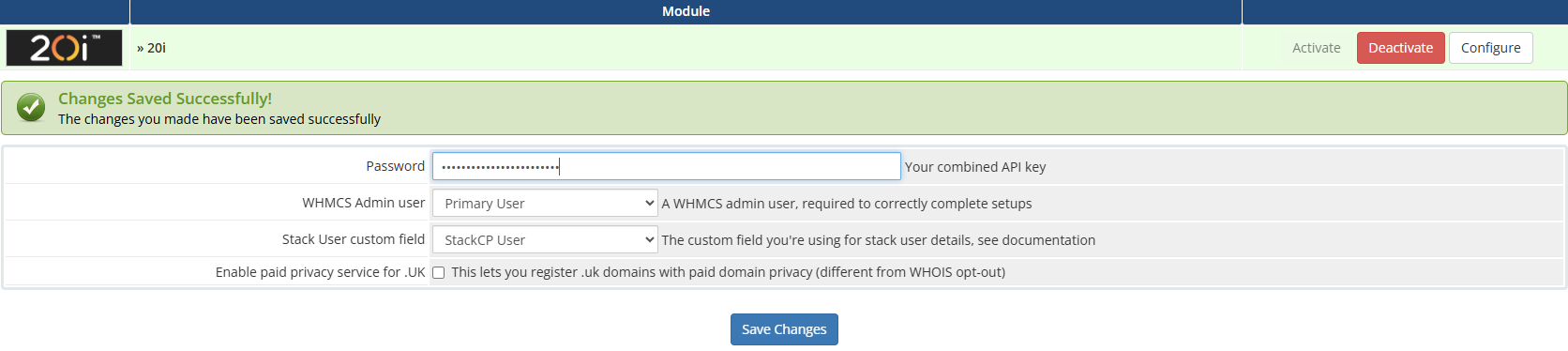
Now press Save Changes.
Note: If your WHMCS installation is hosted elsewhere, you'll need to ensure outgoing port 3000 is open to ensure our API can connect.
Use 20i for Domain Lookups
You can use 20i for the domain lookup service within WHMCS. To set this, navigate to System Settings > Domain Pricing. Towards the top right corner, under Lookup Provider, you can click Change and then select 20i as the domain registrar. You can also select Configure this to further configure the lookup provider.