
How do I use Master FTP?

As a 20i Reseller you can use Master FTP to globally unlock your own IP address across all your hosting packages.
This is so that you don’t need to worry about unlocking FTP for each package every time you need to access them.
To use Master FTP:
- Create a StackCP User for yourself. To create a StackCP User please see this guide.
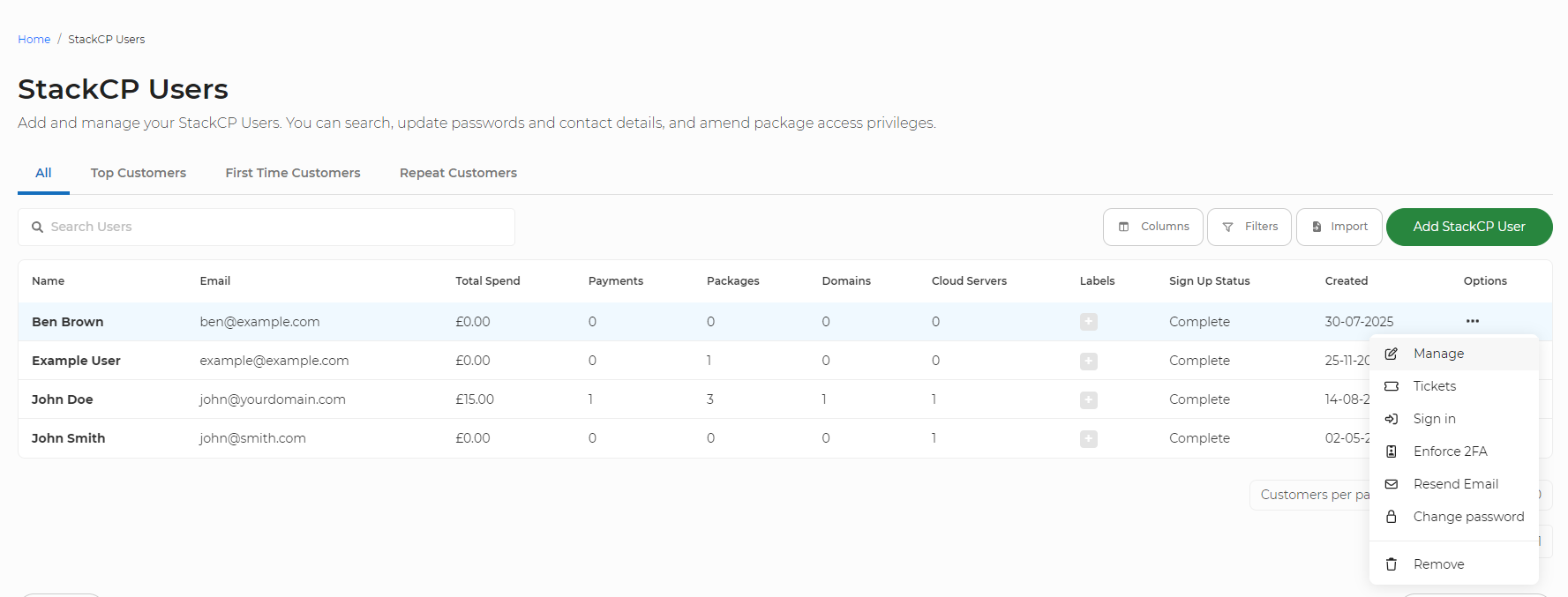
- Locate your StackCP User from the list and select Options > Manage
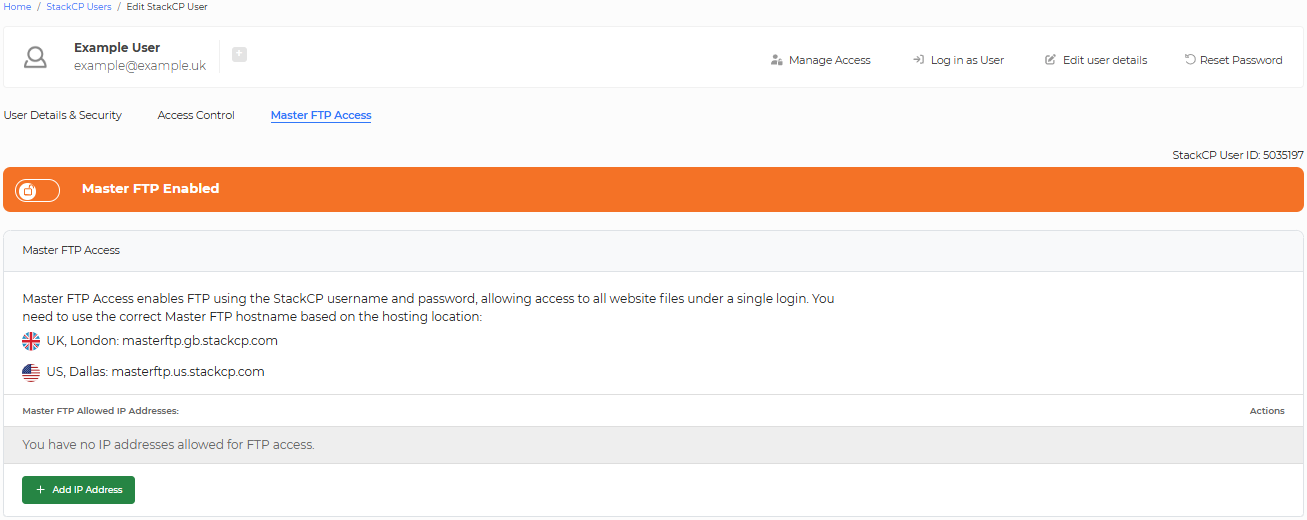
- Select the 'Master FTP Access' sub-section and select the toggle to enable Master FTP Access. By default, this is disabled. This will enable you to gain access to all site files and will permit you to enter an IP address.
- Select ‘Add IP Address’ and add your IP address, and then select 'Allow IP Address'. Only the added IP addresses will be able to access files via Master FTP
- You should use the following details to connect via your FTP client:
- Host: The value of this depends on which data centre your package is located in.
- Username: the StackCP User's email address (e.g. email@example.com)
- Password: the StackCP User's password
For packages in the UK: masterftp.gb.stackcp.com
For packages in the US: masterftp.us.stackcp.com
For packages in Singapore: masterftp.sg.stackcp.com
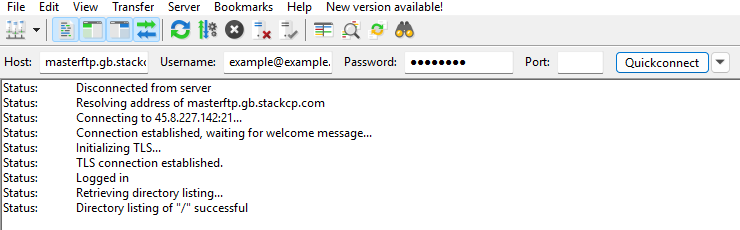
You'll now be able to access the packages you selected earlier using these details.