How do I get support from 20i?

20i have a friendly support team based at our Nottinghamshire HQ. They have direct access to our management and development team, and can help you with any technical issues you may encounter.
They're available day and night, every day of the year: 24x7x365.
If you're unsure about what products you require from 20i, you can contact us via a sales enquiry.
You can check the status of our systems at Stack Status.

There are a few channels of technical support:
Support Tickets
If you have any queries or questions, you can raise a support ticket and our support team will work with you to solve your issue.
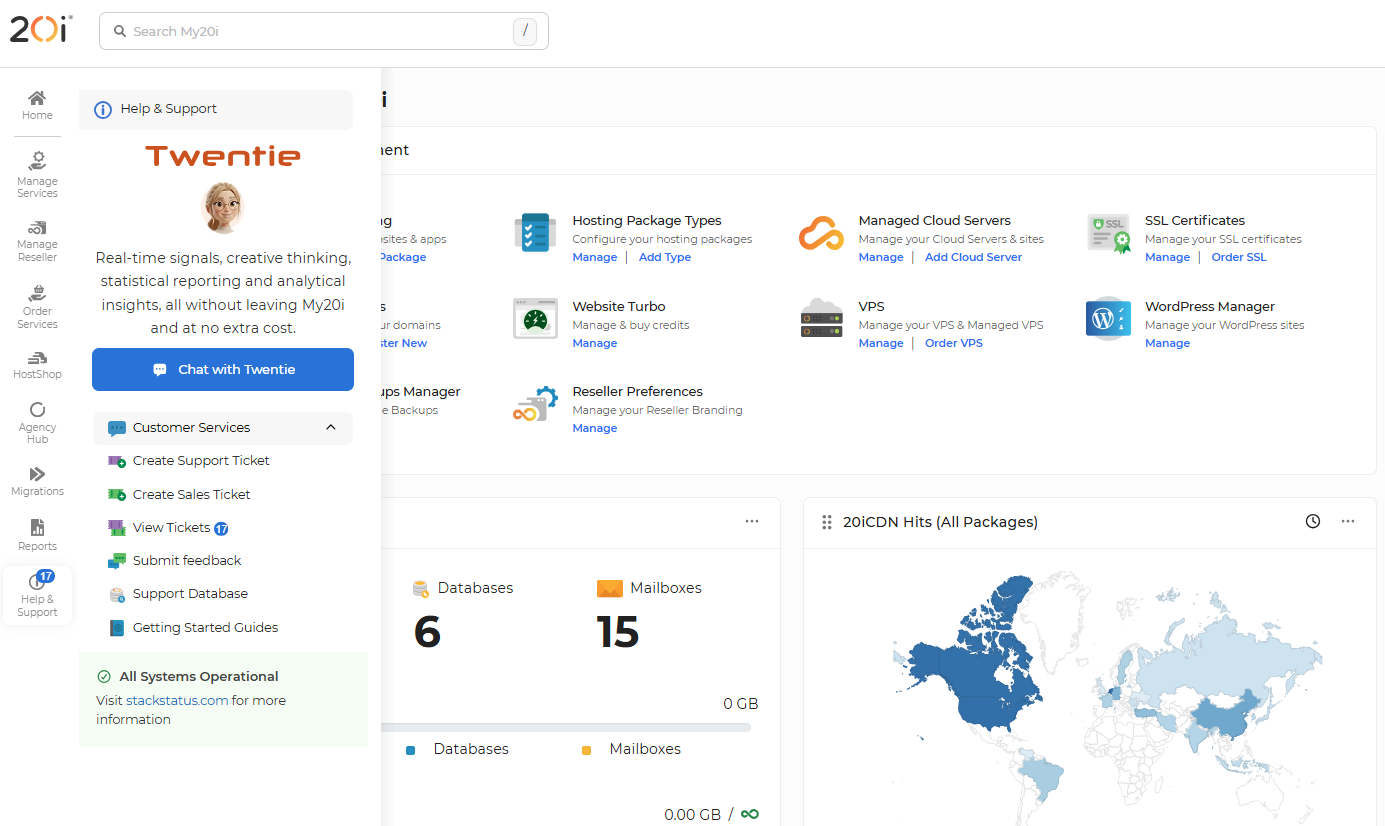
From your 20i dashboard, please navigate to the Help & Support tab on the sidebar on the right-hand side of the page.
Once this expands, you will see a list of popular articles from our support database which could help with any issues you have. If not, you can contact us by clicking either the Create Support Ticket or Create Sales Ticket option. If you have previously opened a support ticket, you can click the View Tickets to view closed and ongoing support tickets.
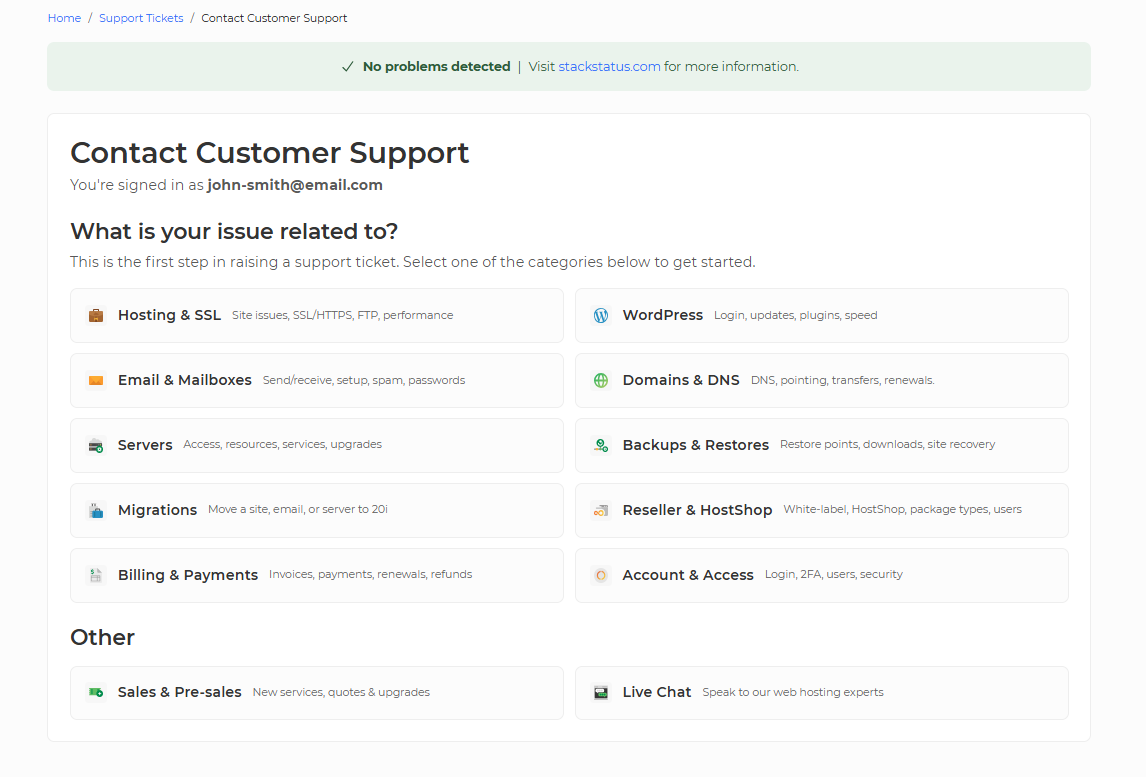
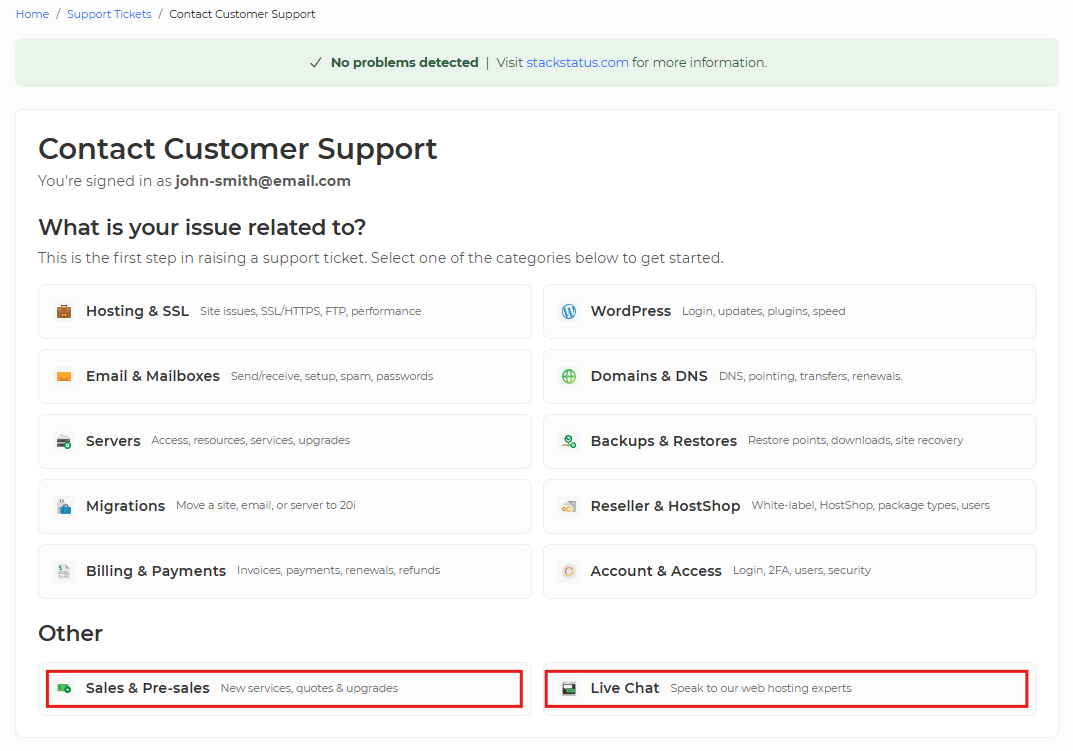
Upon clicking the Create Support Ticket option, you will be prompted to the Contact Customer Support section. From here, select what category your issue relates to.
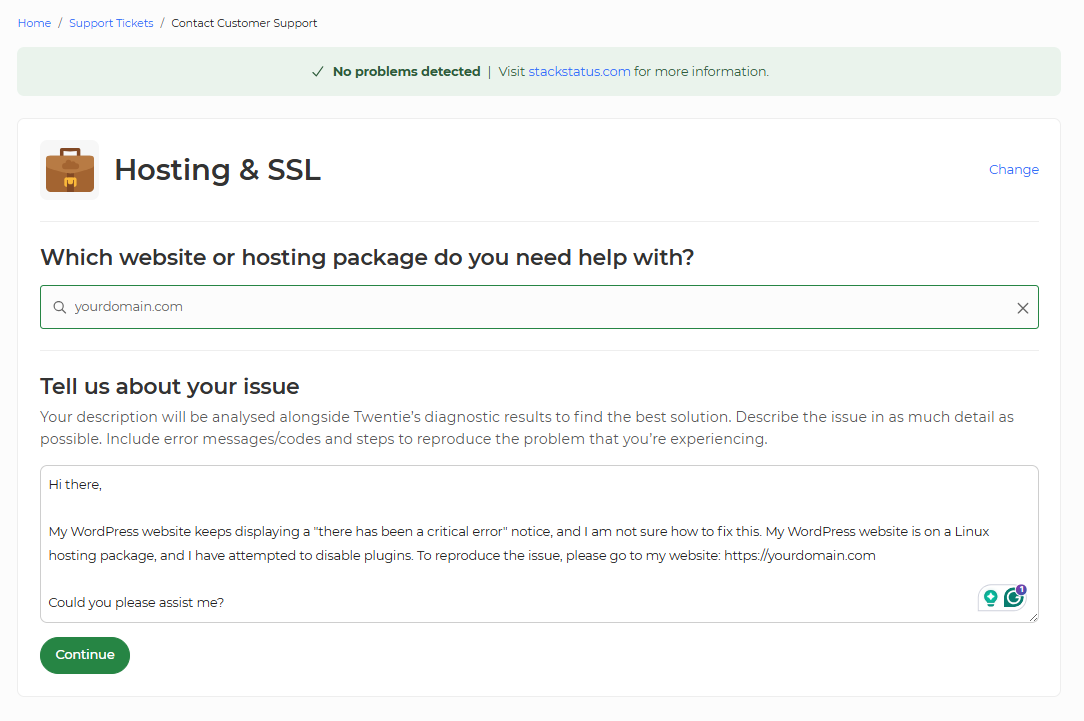
After selecting the relevant category for the problem you would like to report, select the associated service (if applicable) and type a description of the issue that you are experiencing. Once done, select the Continue button.
You will receive a response from Twentie, who will check every aspect of your 20i account and the service(s) that were selected when raising the ticket. Twentie will then provide a detailed analysis and some recommendations.
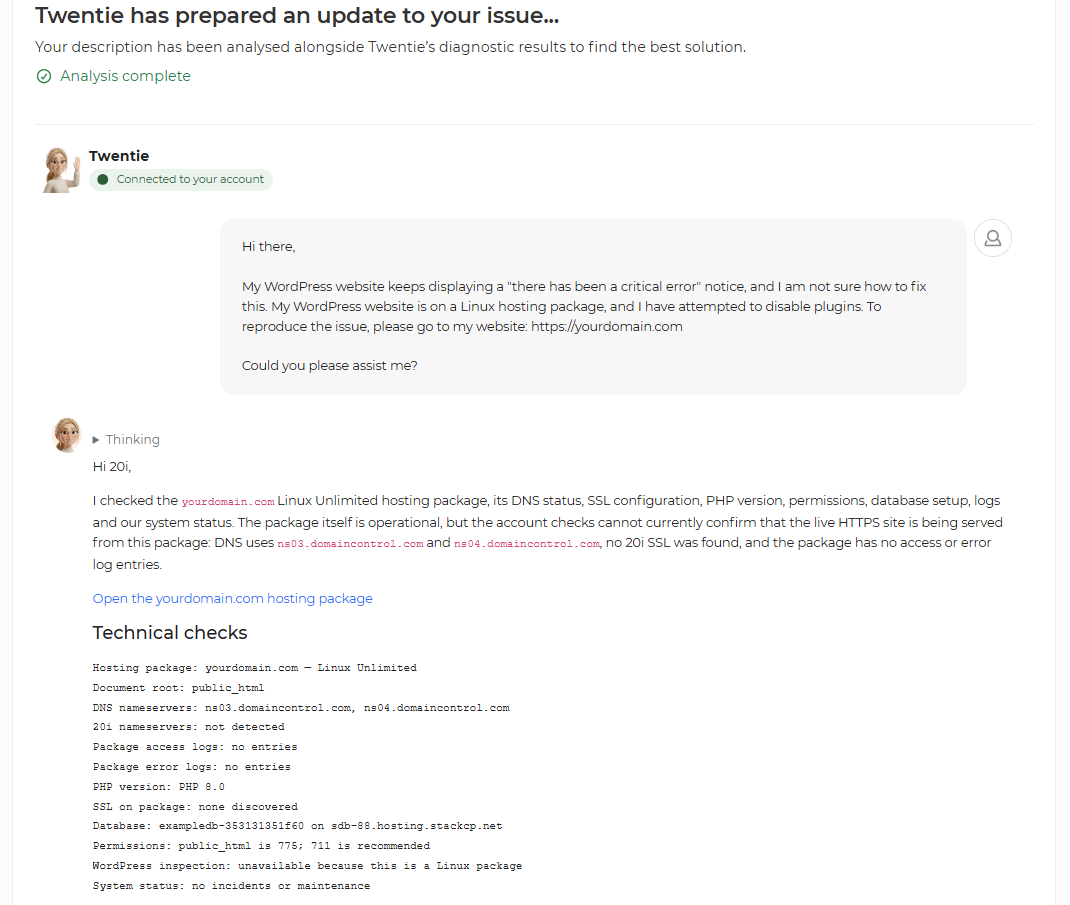
After you have read Twentie's analysis and recommendations, you have a few options on how to proceed next:
- Confirm that Twentie's recommendations have fixed the problem/ answered your query.
- Continue the conversation with Twentie, or ask a follow-up questions.
- Request that Twentie raise a support ticket directly with our support team.
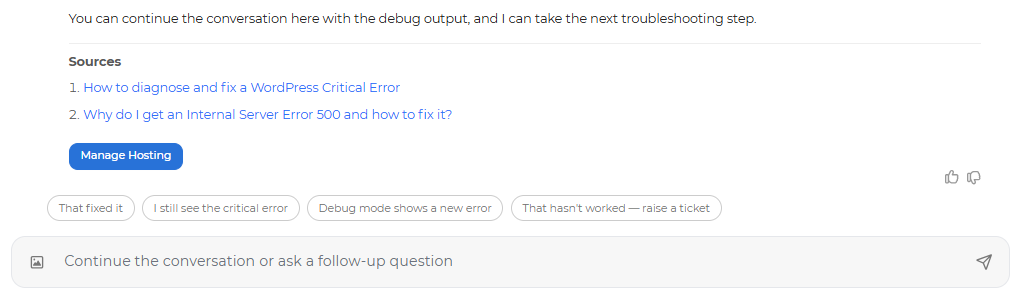
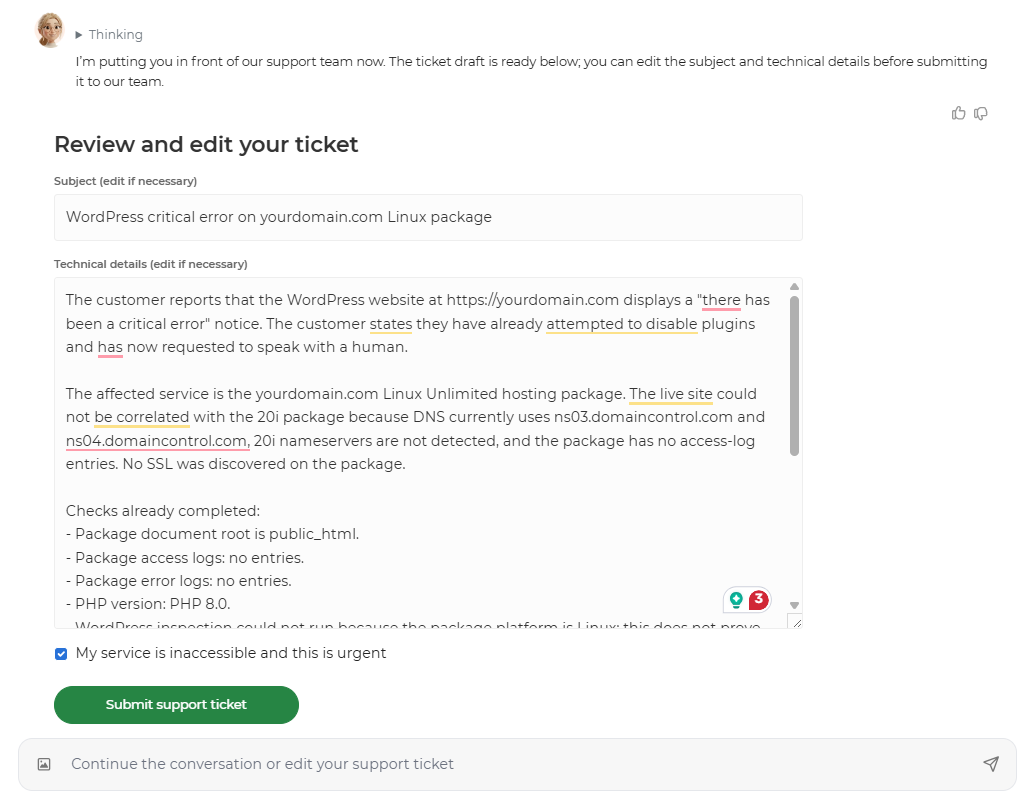
Note: You can also request human support at any time throughout your conversation with Twentie; just ask to be put through to a human support agent.
If you request human support from our support team, Twentie will automatically generate a support ticket for you, using the context and information provided within your conversation in a clear, stated response. You can then edit the technical details (if necessary) and then click the Submit Support Ticket at the bottom of the screen.
Live Chat
You can also start a live chat with a member of the support team and receive one-to-one support. Our experts are happy to help with any problem you have and work with you to resolve any issues.
Similar to how you would raise a support ticket, a chat can be raised by following the first few steps: navigating to the Help & Support tab in the control panel and then selecting the Create Support Ticket option from the drop-down.
Select the Live Chat option, and a live chat pop-up window should appear. You can also raise a Sales Chat.
This is the pop-up window that will appear.
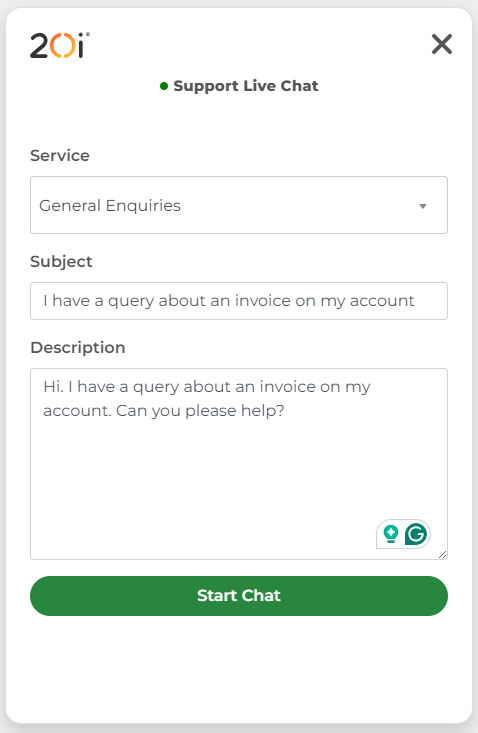
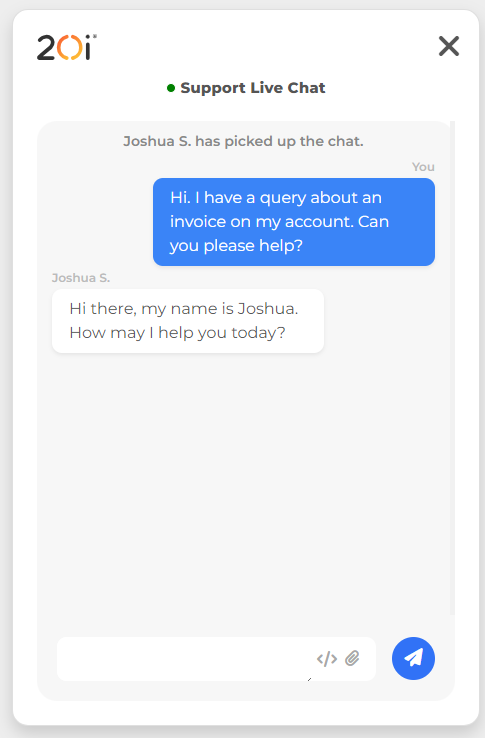
Once actioned, start the chat and you will be in contact with a member of our technical support team.
Support Database
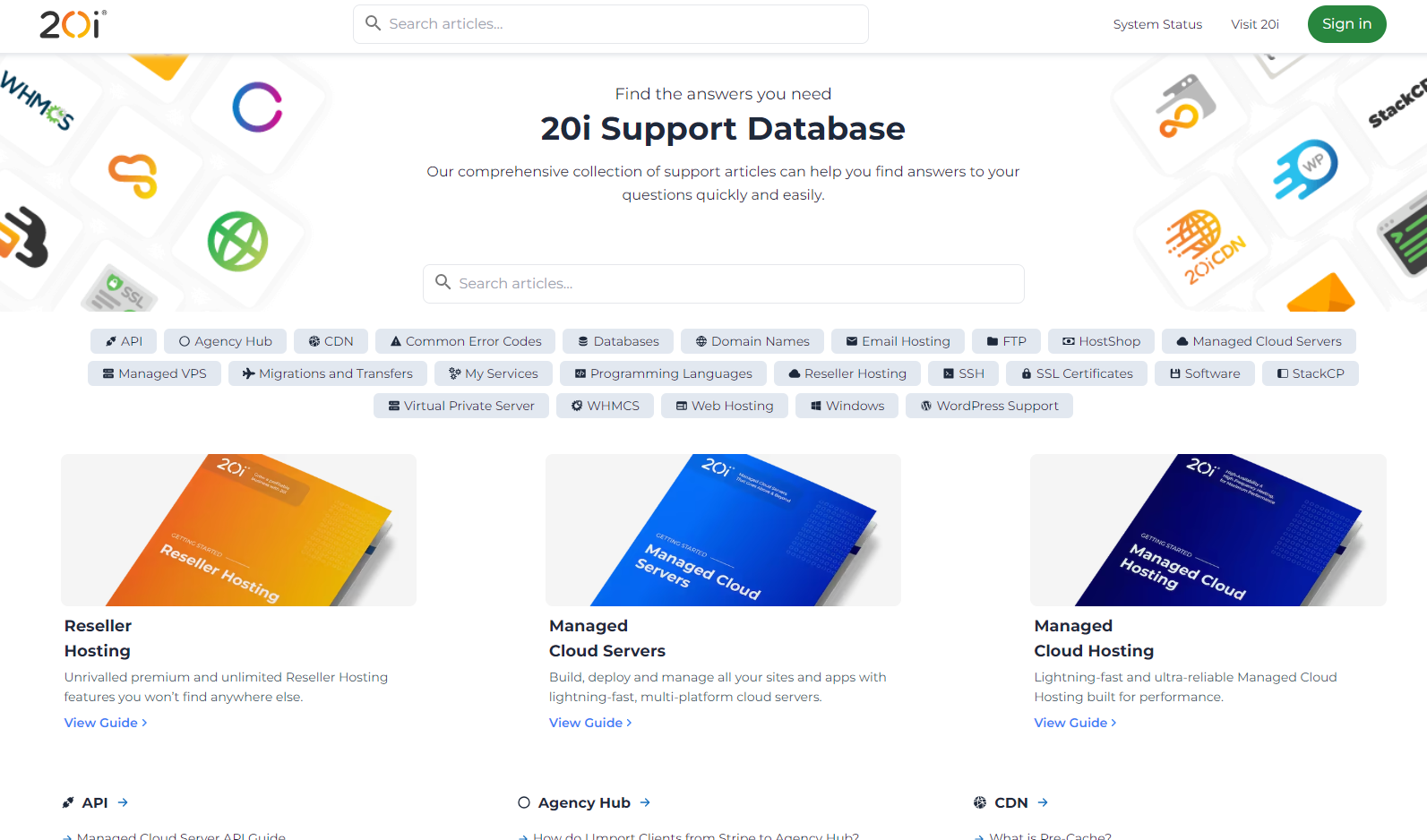
Our Support Database compiles all previous customer questions into one area. It's likely that you can find the answer you're looking for here.