
How do I enable the System Module Debug Log within WHMCS?

Enabling the System Module Debug Log within WHMCS can be useful if you're attempting to provision products and services via WHMCS, using our API module, but are unable to do so.
To enable the System Module Debug Log, you will first need to log in to WHMCS.
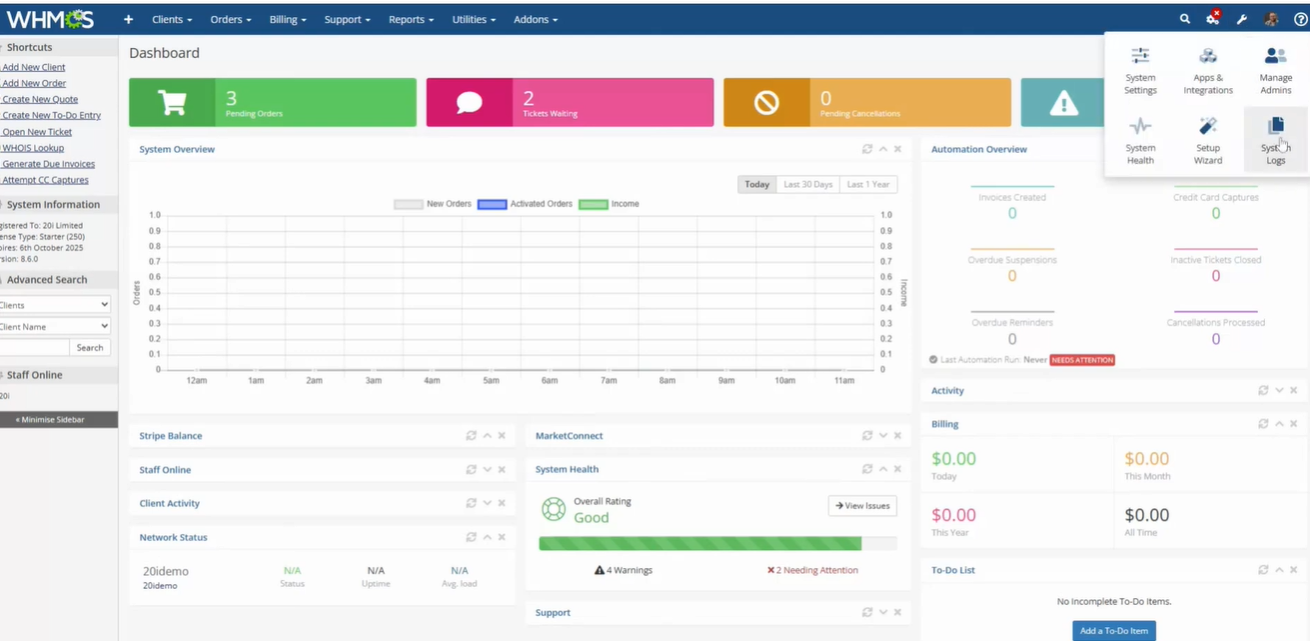
After logging in, browse to Utilities > System Logs
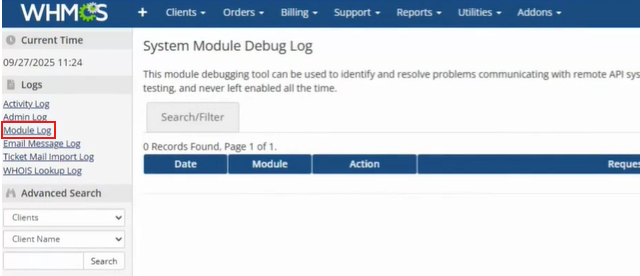
Select the Module Log under the Logs section on the left-hand side corner.
Then select Enable Debug Logging
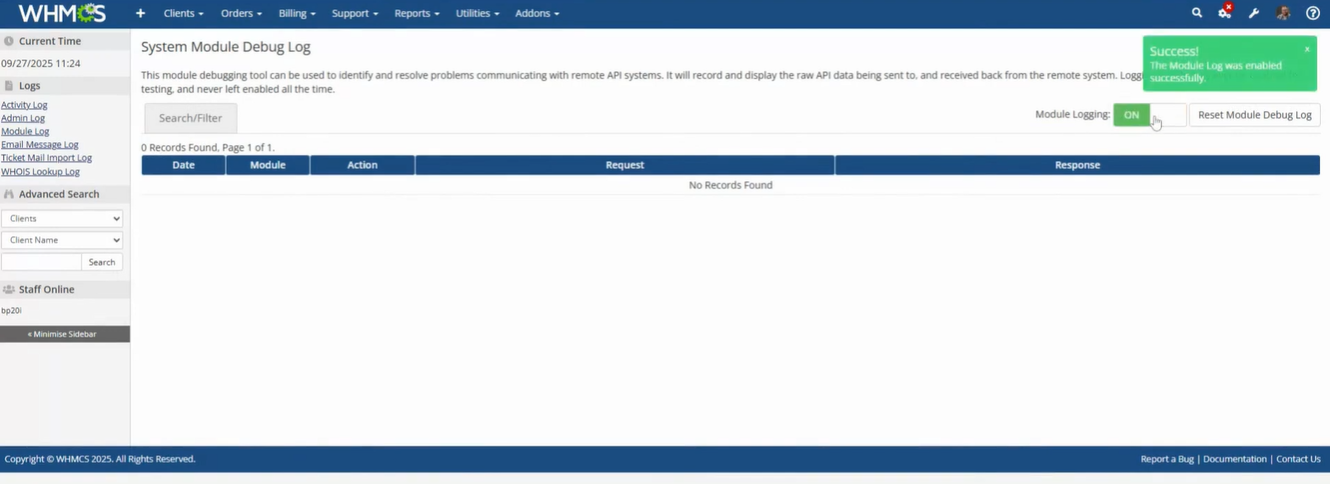
Going forward, WHMCS will log and display responses produced by our platform/API.